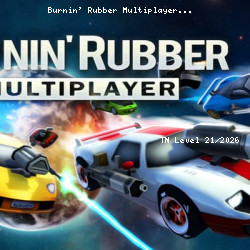
Burnin' Rubber Multiplayer Casual Online Game
XformGames • 117.8K Plays • 1.2M Views • star 4.6 (4.9K)
All
Device
4.9K ratings
Rate This Game
gamepad How to Play Burnin' Rubber Multiplayer
Controls
Keyboard and Mouse
- (W)(A)(S)(D) / (Arrowkeys) : Drive
- (Space) : Nitro
- (Shift) : Drift
- Double-Tap (Shift): U-Turn
- (Z) / (LMB) : Fire Primary
- (X) / (RMB) : Fire Secondary
- (F) / (MMB) : Use Special Weapon
- (C) : Look Behind
- (1) - (0): Dialog Hotkeys
- Hold (`) : Show Dialog Wheel
- (V) : HUD Toggle
- (ESC) / (P) : Pause
Gamepad
- (Left stick) : Steer
- (Right trigger) : Accelerate
- (Left trigger) : Decelerate
- (A) : Nitro
- (B) : Drift
- Double-Tap (B) : U-Turn
- (Right shoulder) : Fire Primary
- (Left shoulder) : Fire Secondary
- (Y) : Use Special Weapon
- (Right stick down) : Look Behind
- Hold (D-Pad Up) : Show Dialog Wheel
- (D-Pad Down) : HUD Toggle
- (Start) : Pause
info About Burnin' Rubber Multiplayer
Start playing Burnin' Rubber Multiplayer in just a few seconds on TNLVL. In the world of Driving, 3D, Destroy, Car, Can’t Stop Playing, Multiplayer, Burnin' Rubber Multiplayer stands out with its simple yet engaging play style. unity serves as the foundation that allows Burnin' Rubber Multiplayer to operate efficiently.
Directly on TNLVL, Burnin' Rubber Multiplayer lets you begin enjoying the game almost instantly. Burnin' Rubber Multiplayer continues the strengths commonly associated with game online.
Start Burnin' Rubber Multiplayer on TNLVL to enjoy a smooth online gaming experience. After experiencing Burnin' Rubber Multiplayer, you can explore Chess Free and Idle Zoo.