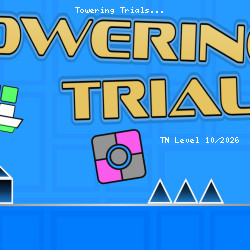
Towering Trials Online Play Now
Tynamite Games • 178.6K Plays • 1.1M Views • star 4.5 (6.7K)
All
Device
6.7K ratings
Rate This Game
gamepad How to Play Towering Trials
Controls
Game Controls
- W / up arrow key = jump or fly
- A / left arrow key = move left
- D / right arrow key = move right
- P / Tab = pause
Editor Controls
Click on the type of tile you want to lay on the screen to start editing. You can choose what kind of tile you want to lay using the group buttons (block, spike, etc.) to the left of the block buttons.
If a laid tile has a green outline, it has been selected.
Mouse
- If hand button on & building = lay multiple tiles with a mouse drag
- If hand button on & editing = select multiple tiles with a mouse drag
- If hand button off & building = scroll upward with a vertical mouse drag / lay a single tile
- If hand button off & editing = scroll upward with a vertical mouse drag / select a single tile with a mouse click
- Mouse-scroll = Move the camera view up and down
Keyboard
- WASD = move selected tiles
- Shift + WASD = move selected tiles 1/16 of a grid block
- Alt + WASD = Move selected tiles 1/2 of a grid block
- QE = rotate selected blocks
- Ctrl + S = save the editor level
info About Towering Trials
Optimized for smooth performance across different devices. The Action, Mobile, Avoid, Jumping, Difficult, Platform, 2D, Obstacle, Skill gameplay in Towering Trials is designed to provide continuous fun. Towering Trials exemplifies quality free game online gameplay.
Towering Trials was developed using iframe, supporting direct play in the browser. Go to TNLVL and play Towering Trials as soon as you are ready for a quick entertainment session. Discover more exciting games like Mr. Dude: Online Multiverse Challenge and Rotator.